THE IMAGE AI
FOR CLO 3D
USERS
Turn your 3D garment into photorealistic campaign imagery. Every detail, every drape, every stitch – as you engineered it.
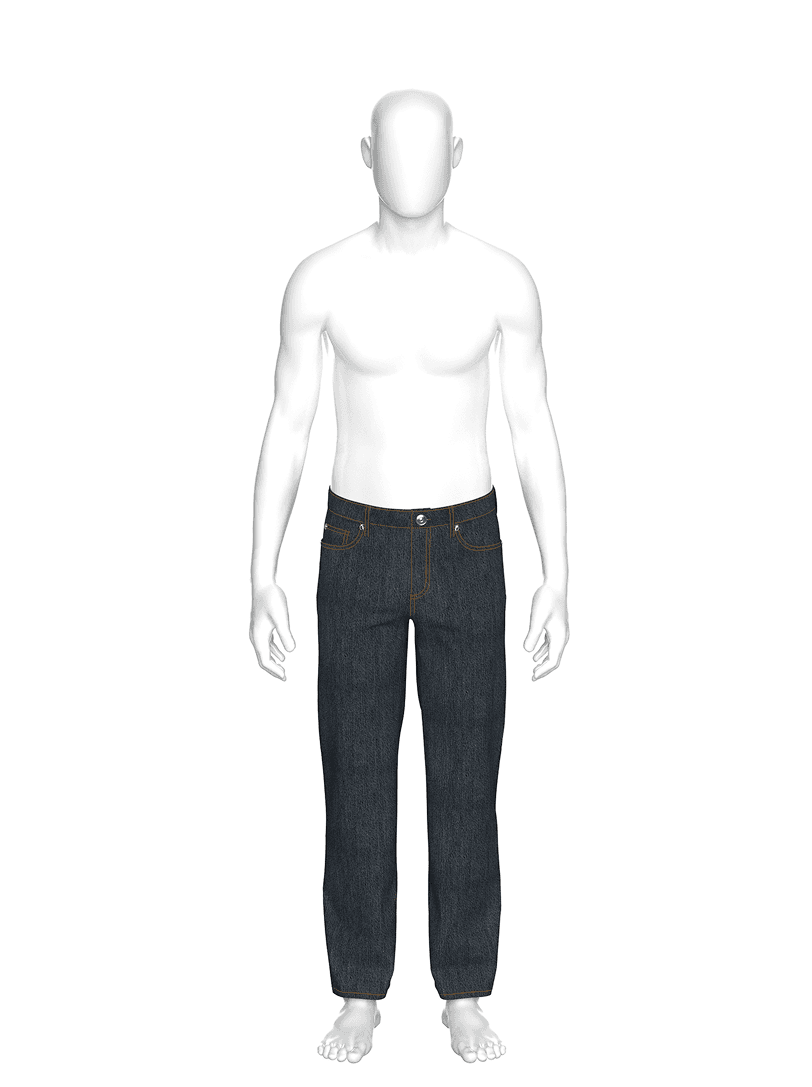
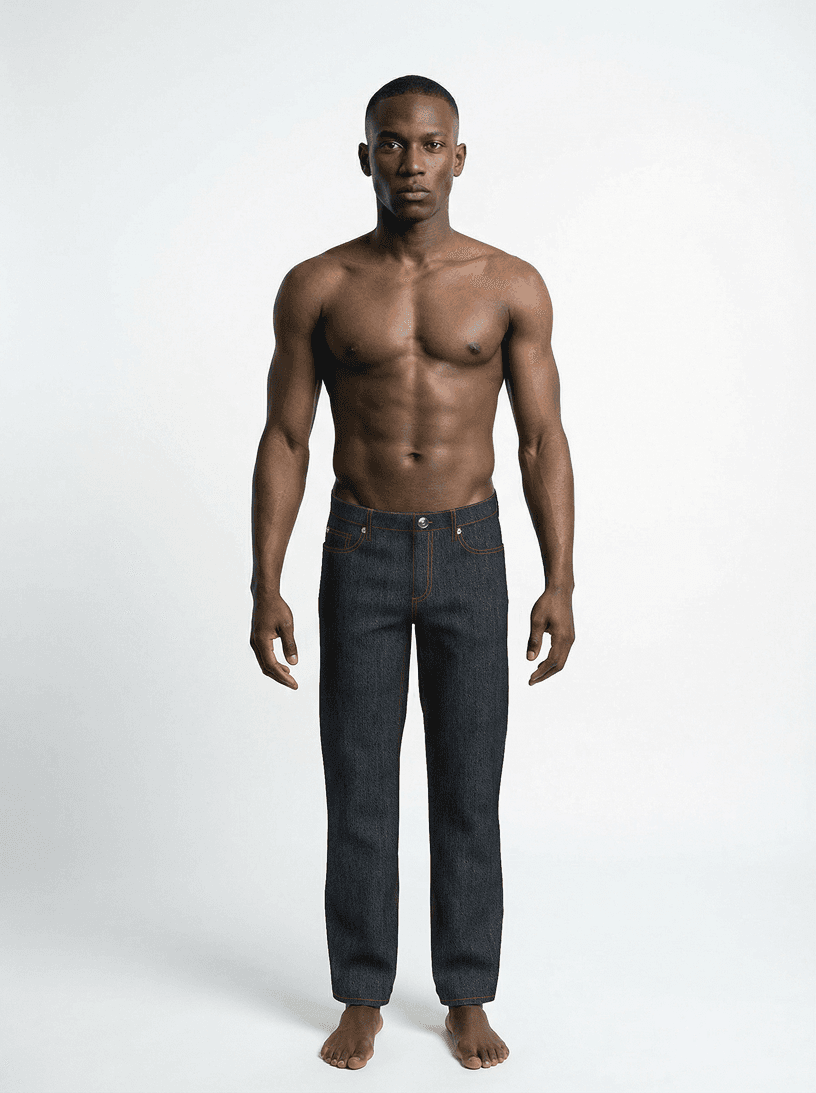
WHY YOUR RENDERS AREN'T ENOUGH ↘
You spend hours perfecting fit, fabric, and construction in CLO 3D. But when it's time to show the world what you've built, you're stuck with flat renders that don't do your work justice – or AI tools that hallucinate your design.
Renders look digital
CLO 3D renders are great for development, but they don't pass as campaign imagery. Clients expect photorealistic quality.
Hours lost in Photoshop
Manually retouching renders is time-consuming and inconsistent. Veloure automates realism instantly.
Generic AI breaks your work
Standard AI tools ignore your pattern engineering. Veloure respects every seam and stitch.
YOUR 3D MODEL IS
THE SOURCE
OF TRUTH
Veloure doesn't guess from a photo. It reads your actual 3D garment – every panel, seam, dart, and fabric property. The result: photorealistic images that match your construction 1:1.
Every detail untouched
Seams, stitching, trims, prints – nothing gets invented or removed. What you built is what you see.
Accurate fit & silhouette
Your grading, your size chart. The AI respects your pattern, not a generic body scan.
Real fabric physics
Drape, stretch, weight – rendered from your actual fabric parameters.
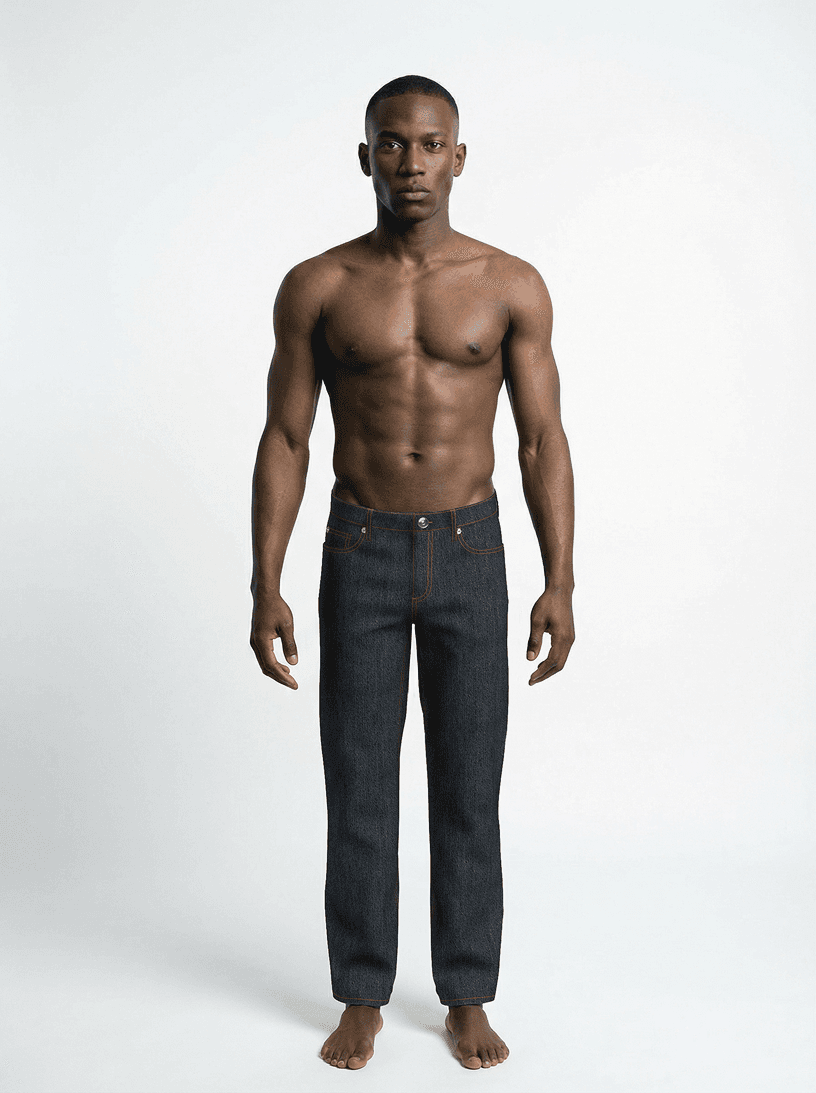 Veloure Output
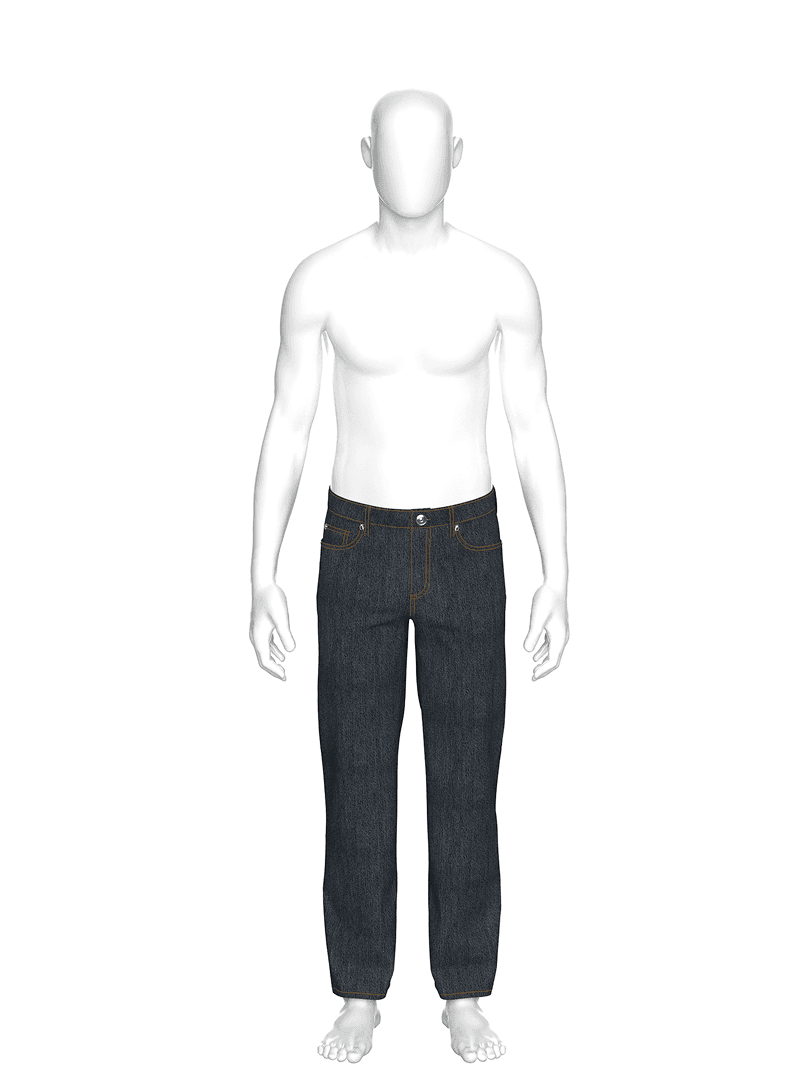 CLO 3D Render
WE ARE NOT AN IMAGE-TO-IMAGE AI.
Veloure is Pattern-to-Image.
Current AI 'guesses' details. It creates seams and construction details that don't exist in your real product.
Relying on 2D photos forces AI to 'invent' back and side views, which rarely match the physical product.
AI ignores fabric physics, creating random draping and silhouettes that fail the actual product fit.
FROM 3D MODEL TO CAMPAIGN IMAGE IN MINUTES
Define mood & aesthetic
Choose a visual direction: studio, lifestyle, or editorial.
Upload CLO 3D model
Import your .zprj file. Veloure reads your full 3D construction.
Generate Output
Set parameters and generate campaign-ready images in minutes.
BE FIRST IN LINE
Veloure is currently in closed beta. Join the waitlist for early access.